4.9
12K reviews
200K+
Downloads
146 MB
Size


Open the Applications section on the official Fansport mobile page to install the app. Android users can start the casino app download and install the APK, while iPhone and iPad users install Fansport through TestFlight. A Progressive Web App is also available. Complete any real money casino apk download only from the official page, then use one account for sports betting, slots, live casino, payments and promotions. New players can choose a casino welcome package of 375% up to 2,667,104.1 CDF + 100 free spins or a sports package of 200% up to 1,045,472 CDF.
4.9
12K reviews
200K+
Downloads
146 MB
Size
Download the Fansport app, create an account and select a welcome offer during registration: 375% up to 2,667,104.1 CDF + 100 free spins for casino play or 200% up to 1,045,472 CDF for sports betting.
The Fansport mobile platform is designed for fast access, stable performance and convenient use on Android and iOS devices. Players in the DRC can use more than 30 sports, prematch and live markets, live streams, over 2,000 casino games, poker, virtual sports, promotions and payments. The online casino app is complemented by a PWA that provides browser-based access from the home screen. When assessing the best sports betting app, Fansport can be compared by its live coverage, bet history, account controls and multilingual support.
Android APK, iOS through TestFlight
Android 8.0+ and iOS 11.0+
53.1 MB Android APK, 146 MB iOS app
60 languages, including English, French and others
Free
Sports betting, casino, live casino, slots, crash games, poker and virtual sports
Android, iOS
50+ deposit and 45+ withdrawal options, including cards, bank transfers, e-wallets and cryptocurrency
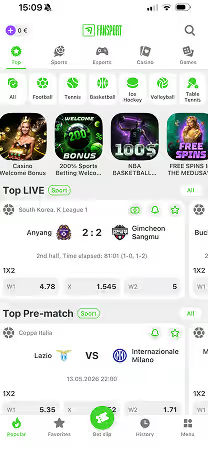
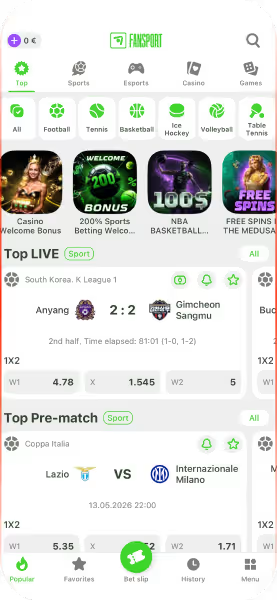
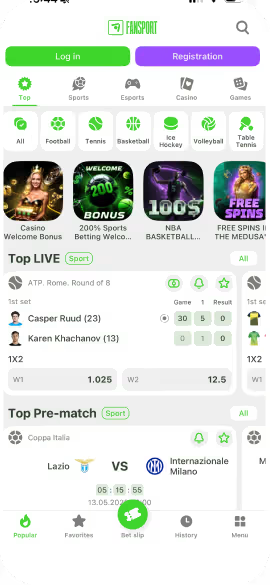
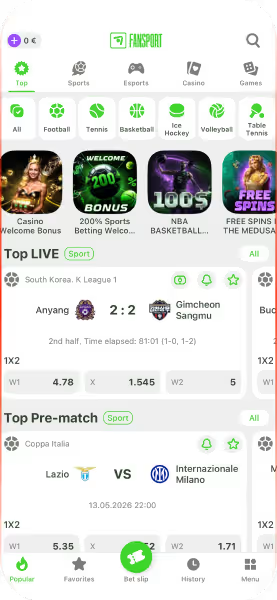
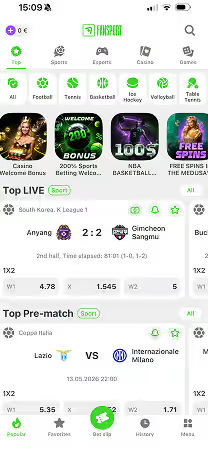
The Fansport casino mobile app is built for fast and convenient use in the DRC, with direct access to sports betting, casino games, payments, promotions and account settings. Fansport supports Android, iOS and PWA, giving users several ways to access the platform from a mobile device. Its optimized interface, live betting tools and full account functionality support Fansport’s positioning as a best betting app for mobile play.
Useful notifications. The app can show alerts about results, promotions, bonuses, live streams and important odds changes without requiring the website to remain open.
Access on the move. Prematch markets, live betting, casino games, live streams, payments and support are available in one mobile account.
Simple navigation. The mobile casino app organises sports, live casino, slots, payments and bet history in direct menus, with search tools for games and events.
Security and stability. The Fansport best casino app experience includes SSL encryption for protected data transmission, KYC verification for account security and clear controls for managing payments and personal information. Fansport also operates under Curaçao Gaming Control Board licence OGL/2024/537/0691.
The Fansport app casino experience on iPhone and iPad is installed through TestFlight. Open the iOS download link on the official Fansport mobile page, install TestFlight from the App Store, then return to the Fansport link and tap it to open the app installation page in TestFlight. The same account, bonus balance, payments and betting history remain available on iOS. Follow these steps to install Fansport and start using the app.
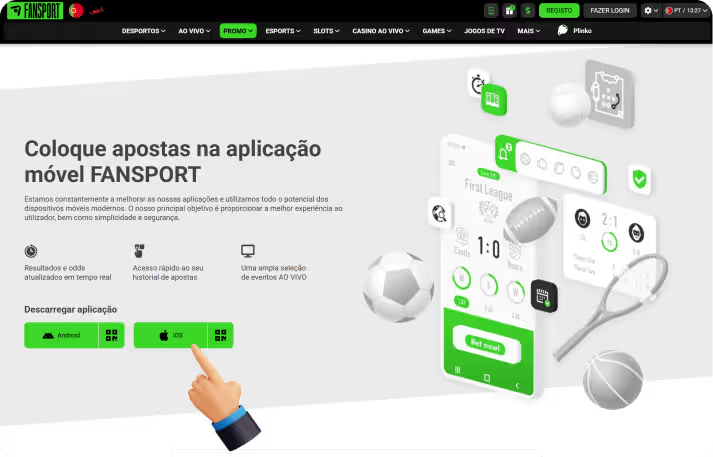
Open the Fansport Mobile App page on an iPhone or iPad and select iOS.
On the TestFlight page, choose View in App Store and install TestFlight.
Open TestFlight, tap Continue and find Fansport in the available applications.
Select Install, wait for the process to finish and open Fansport.
Complete the setup screens, choose notification permissions and tap Start Testing to launch the app.
Before installing Fansport through TestFlight, confirm that the iPhone or iPad meets the basic requirements. The specifications below support stable navigation, payments, live betting and streamed casino tables.
| Requirement | Specification |
|---|---|
| Operating system | iOS 11.0+ |
| Storage | At least 146 MB available |
| RAM | 2 GB |
| Internet connection | 3G, 4G, 5G or Wi-Fi |
The Android version is downloaded from the official Fansport mobile page. The casino apk installs outside Google Play, so the browser must be allowed to install apps. Fansport works as a casino Android app real money users can access after registration and deposit, while selected games also support demo play.
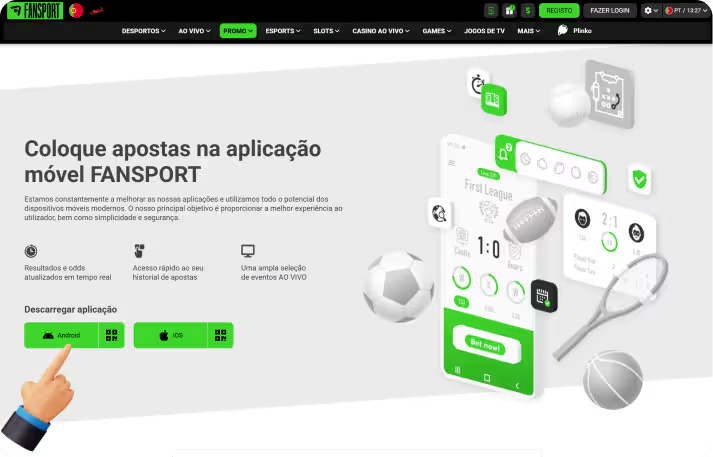
Open the official Fansport website on an Android phone or tablet and go to the Mobile App page.
Select Android and tap the download button to start the Fansport APK download.
Confirm the FANSPORT.apk file when the browser asks whether to download it.
Open Android Settings, select Install unknown apps and allow installation from the browser used for the download.
Open the downloaded file, select Install, wait for completion and tap Open to launch Fansport.
Before installing the APK, check that the device meets the recommended specifications. Even the best real money casino app needs a supported operating system, enough free storage and a stable connection for live odds, streams and dealer games.
| Requirement | Specification |
|---|---|
| Operating system | Android 8.0+ |
| Storage | At least 146 MB available |
| RAM | 2 GB |
| Internet connection | 3G, 4G, 5G or Wi-Fi |
After installation, create an account, fund the balance and open the sportsbook or casino from the same mobile profile. Follow these steps to place a first bet or start a casino session in the Fansport app.
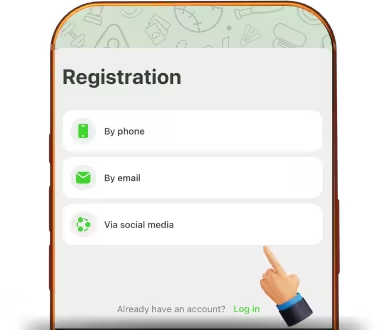
Open Fansport and select Registration to create an account by phone, email or an available social account.
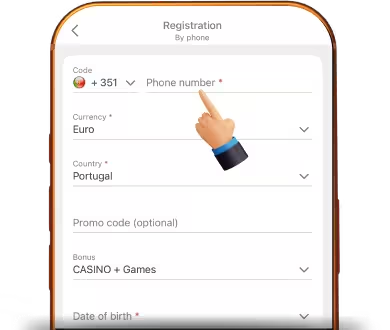
Choose the Democratic Republic of the Congo as the country, select CDF as the account currency and pick the casino offer, sports offer or no bonus.
Enter the requested details, add an eligible promo code if available and accept the Terms and Conditions.
Log in and open Deposit to view the cards, bank transfers, e-wallets, payment systems and cryptocurrency options currently available for the account.
Open Sports, Live, Slots or Live Casino according to the type of betting or game you want to use.
Choose a market, slot or table, enter the stake in CDF, confirm the action and follow it in Bet History.
Installation problems can usually be resolved by checking the connection, device version, available storage and official download page. Use the steps below if the APK, TestFlight version or PWA does not install correctly.
The APK does not download. Reload the Mobile App page, check the internet connection and select Android again.
Android blocks the file. Open Install unknown apps in Settings and grant permission to the browser used for the download.
The device is incompatible. Confirm Android 8.0+ or iOS 11.0+, 2 GB of RAM and a 3G, 4G, 5G or Wi-Fi connection.
Installation stops early. Check free storage, close unused apps and restart the device before trying again.
TestFlight does not show Fansport. Reopen the official iOS invitation, confirm the active Apple account and repeat the installation.
Fansport registration can be completed directly in the mobile app. One profile gives access to the sportsbook, casino, cashier, bonuses and account settings on Android, iOS and the website.
Open Fansport on Android or iOS and select Registration. First choose Casino + Games, the sports welcome package or registration without a bonus.
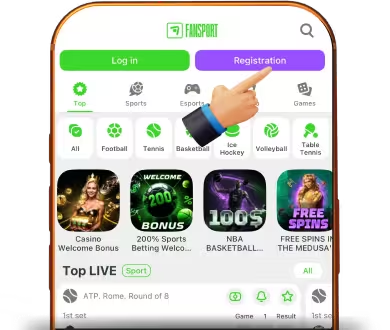
Select phone, email or an available social account, then enter the requested details. Choose the Democratic Republic of the Congo, CDF, a secure password and a promo code if one is currently valid.
Accept the terms, activate the phone number or confirm the email address when requested and log in. Complete identity verification if Fansport requests it before payments or withdrawals.
Fansport is among betting apps with sign up bonus choices for both casino play and sports betting. New players select an offer during registration, while existing users can review cashback, loyalty rewards, accumulator promotions, birthday offers and seasonal campaigns in the Promotions section. Always check the current rules before activating an offer.
Welcome packages. Fansport offers a sports bonus of up to 200% and 1,045,472 CDF across the first four qualifying deposits, plus a casino package of 375% up to 2,667,104.1 CDF + 100 free spins across the first three deposits.
Birthday bonus. Eligible users receive a personalised promo code for a free bet on their birthday. The account must be registered at least one month before the birthday, with the phone number and email verified and at least 20 real-money sports bets completed. The code is sent to the Fansport account and by SMS.
Casino VIP Cashback. The loyalty programme has eight levels starting with Copper. Casino activity advances the account level, while higher tiers provide improved benefits and cashback under the active programme rules.
Promo Code Store. Registered users can exchange promo points earned from eligible betting activity for free-bet codes. Access opens 30 days after registration, requests require at least 100 points and cryptocurrency bonuses are not available through this store.
Fansport provides mobile access to sports, casino, TV Games, promotions, payments and other platform sections. Its licence information, visible payment tools, responsible gaming controls and clear game rules support Fansport as a best casino app real money users can access from a mobile device.
Sports betting. The sportsbook covers football, tennis, basketball, ice hockey, esports, cricket and more than 30 sports. The app includes prematch and live events, changing odds, live scores, streams where available and markets such as match winner, handicap, totals and accumulators.
Casino and slots. Fansport offers more than 2,000 slots, crash games, roulette, blackjack, baccarat, bingo, TV games and other titles. Selected games provide demo mode, while real-money rounds require registration and a funded balance.
Live casino. The Fansport live casino app opens streamed roulette, blackjack, baccarat, poker, Sic Bo and game-show tables. Stable streaming, clear table limits and visible game rules make Fansport a best live casino app option for accessing dealer games from a mobile device.
Poker and card games. Fansport includes live dealer poker, digital card titles and a separate Legion Poker room with tournament and cash-game formats. This range gives the Fansport top casino app experience more variety for users who prefer poker and card-based games.
Fansport supports CDF mobile payments through Africell, Airtel, Orange Money and Vodacom, alongside Jeton, Sticpay, Pay Do Wallet, Binance Pay, iCashOne and a wide selection of cryptocurrencies. Mobile deposits start from 1,000 CDF with Airtel, Orange Money and Vodacom, while Africell starts from 2,500 CDF. Mobile withdrawals start from 300 CDF. The displayed withdrawal methods charge no commission and have a stated processing time of 15 minutes.
| Payment Method | Minimum Deposit | Maximum Deposit | Minimum Withdrawal | Maximum Withdrawal |
|---|---|---|---|---|
| Mobile payments | 1,000 CDF for Airtel, Orange Money and Vodacom. 2,500 CDF for Africell | 1,000,000 CDF for Airtel, Orange Money and Vodacom. 4,500,000 CDF for Africell | 300 CDF | No maximum displayed |
| Jeton | 26,190.24 CDF | 13,095,119.11 CDF | 10 EUR via Jeton Bank | 5,000 EUR via Jeton Bank |
| Sticpay | 11,352.40 CDF | 11,352,394.09 CDF | 10 USD | No maximum displayed |
| Binance Pay | 4,540.96 CDF | No maximum displayed | No minimum displayed | No maximum displayed |
| Cryptocurrency | USDT TRC20 starts from 22,704.79 CDF | Network-specific | 15 USDT for USDT on BSC, Ethereum and Polygon networks. Bitcoin, Ethereum, Litecoin and Dogecoin withdrawals start from the equivalent of 1.50 USD | Up to 500,000 USDT on BSC and Ethereum, 100,000 USDT on Polygon and 1,000,000 USDT on TRON |
Withdrawals are requested from the cashier inside the Fansport account. Open the withdrawal tab, review the methods available for the DRC profile and check the displayed limits, fees and processing time before sending the request. Fansport may require identity verification or ask that a withdrawal use a method linked to an earlier deposit.
Log in to Fansport and open Payments from the profile menu.
Switch from Deposit to Withdrawal and confirm the account details.
Choose an available card, bank transfer, e-wallet, payment system or cryptocurrency option.
Enter the amount in CDF and stay within the limits shown for that method.
Review the details, complete any requested verification and submit the withdrawal request.
Keeping Fansport updated supports security, performance and compatibility with current payment and live-streaming features. Android installations are refreshed with a new official APK, while iOS updates are delivered through TestFlight.
Open the app and check for a new-version notice or compatibility warning.
On Android, return to the official Mobile App page and download the latest APK.
Install the new APK over the existing version so the same Fansport account remains available.
On iPhone or iPad, open TestFlight and check whether a Fansport update is available.
Launch the updated app, log in and confirm that the current version opens correctly.
The Fansport app can be removed from a device at any time, while the betting account remains active. Closing the account is a separate action and can only be completed through Fansport customer support. To uninstall the app, follow these steps:
Find the Fansport icon on the Android or iOS home screen or in the application list.
Press and hold the icon until the device menu appears.
Select Uninstall, Remove App or Delete App, depending on the operating system.
Confirm the action to remove Fansport from the device.
Open the official Fansport Mobile App page, choose Android to download FANSPORT.apk or select iOS to continue through TestFlight. The online casino app download is free and should come only from the official Fansport page or its verified TestFlight invitation.
Yes. Fansport supports Android 8.0+ through an APK and iOS 11.0+ through TestFlight. A PWA can also be added to the home screen on supported Android and iOS browsers.
Yes. Downloading and installing the app is free. A funded balance is required for sports bets and real-money casino rounds, while selected casino games may provide a demo mode.
Yes. Fansport includes slots, crash games, poker, table games and live dealer titles. Its broad game catalogue, real-money betting options and mobile access position Fansport as a best casino app to win real money, with stakes, paytables and responsible gaming controls available directly on the platform.
Fansport uses SSL encryption, protected account access and KYC checks, and operates under Curaçao Gaming Control Board licence OGL/2024/537/0691. These are important criteria when comparing real-money casino apps, but players should also protect their passwords and use only official download links.